Triaster QMS Features
Registers.
Structured registers for risks, controls and other records that need owners, actions, approvals and reviews. Governed in the same place as the processes they concern, so a risk is attached to the work that creates it rather than sitting in a spreadsheet nobody opens between audits.
Connected, not bolted on
Records link to your processes and to your controls.
A register record can be linked to the processes it relates to and to the relevant version of a control. That is the point of running registers inside the QMS rather than beside it: the risk, the control that mitigates it, the action that closes the gap and the process where the work actually happens are all one connected picture.
From empty to governed
What the workflow actually looks like.
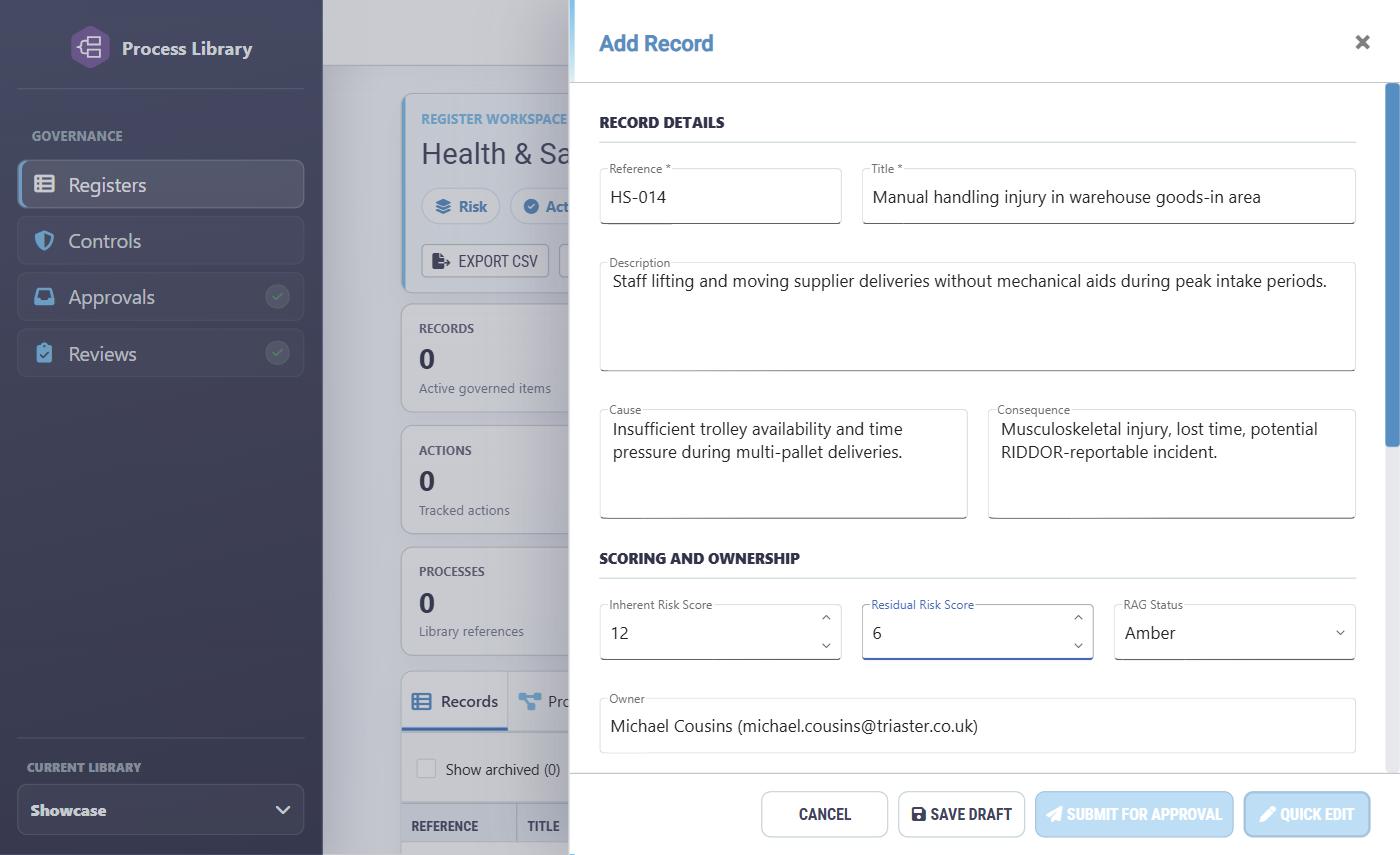
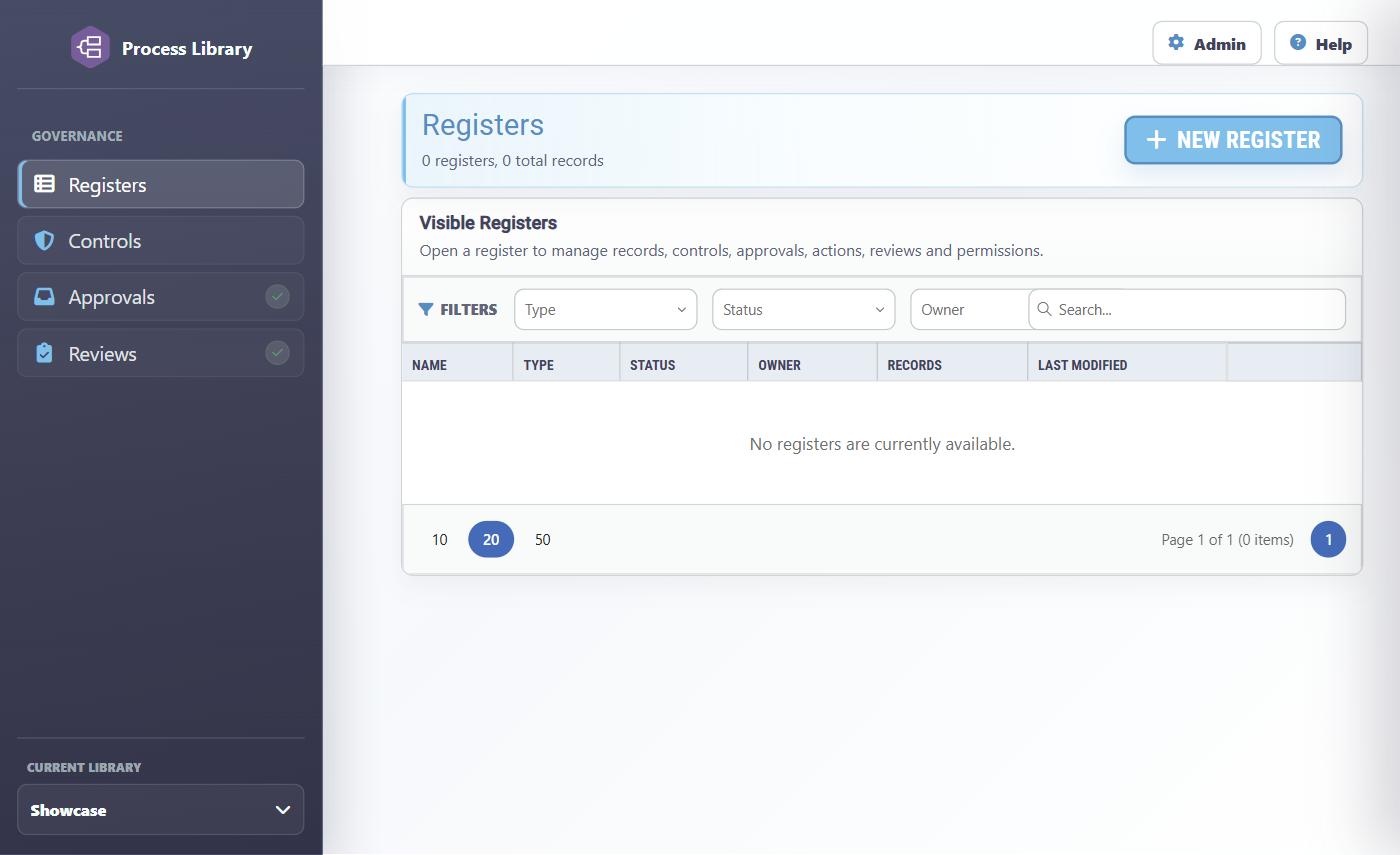
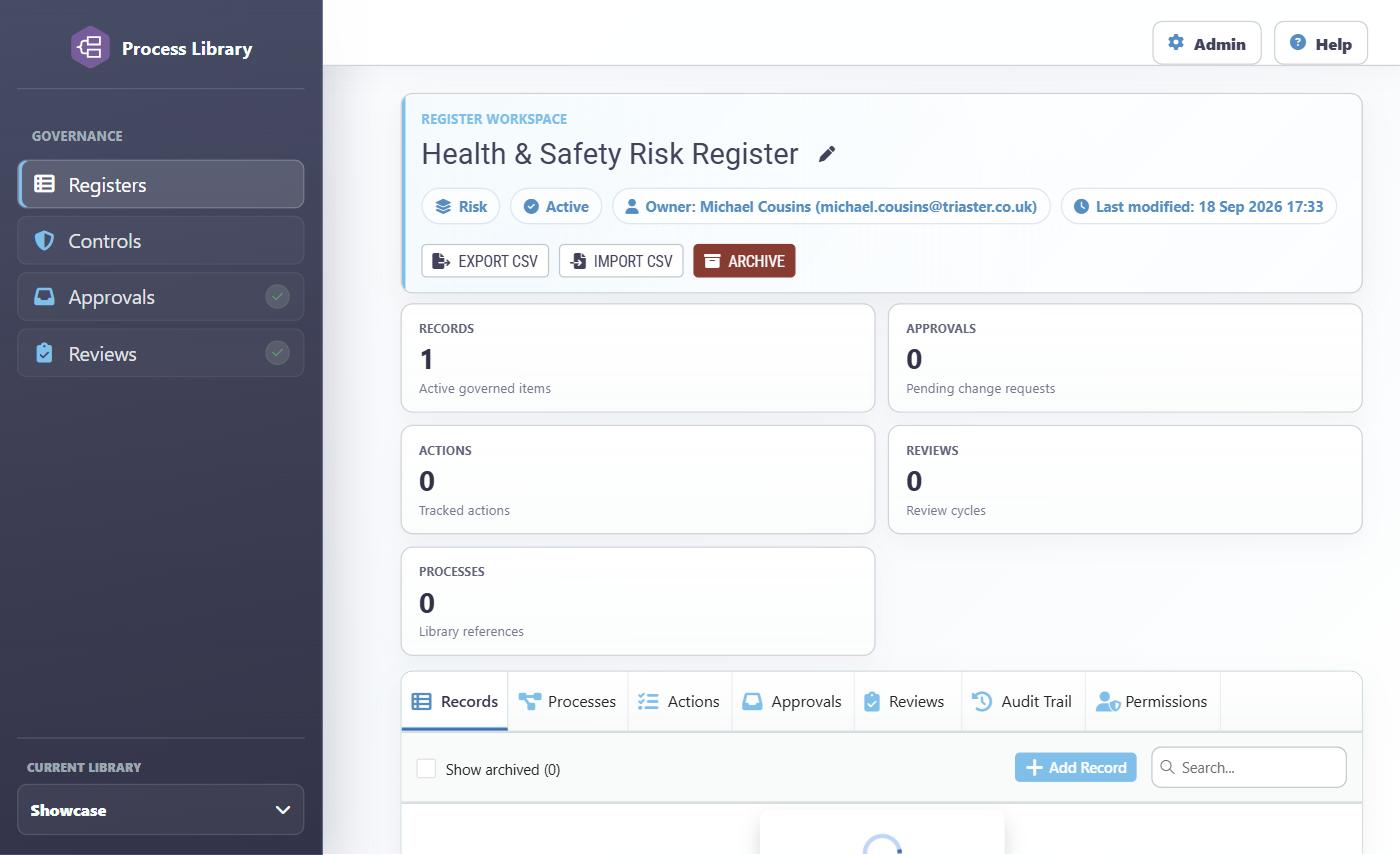
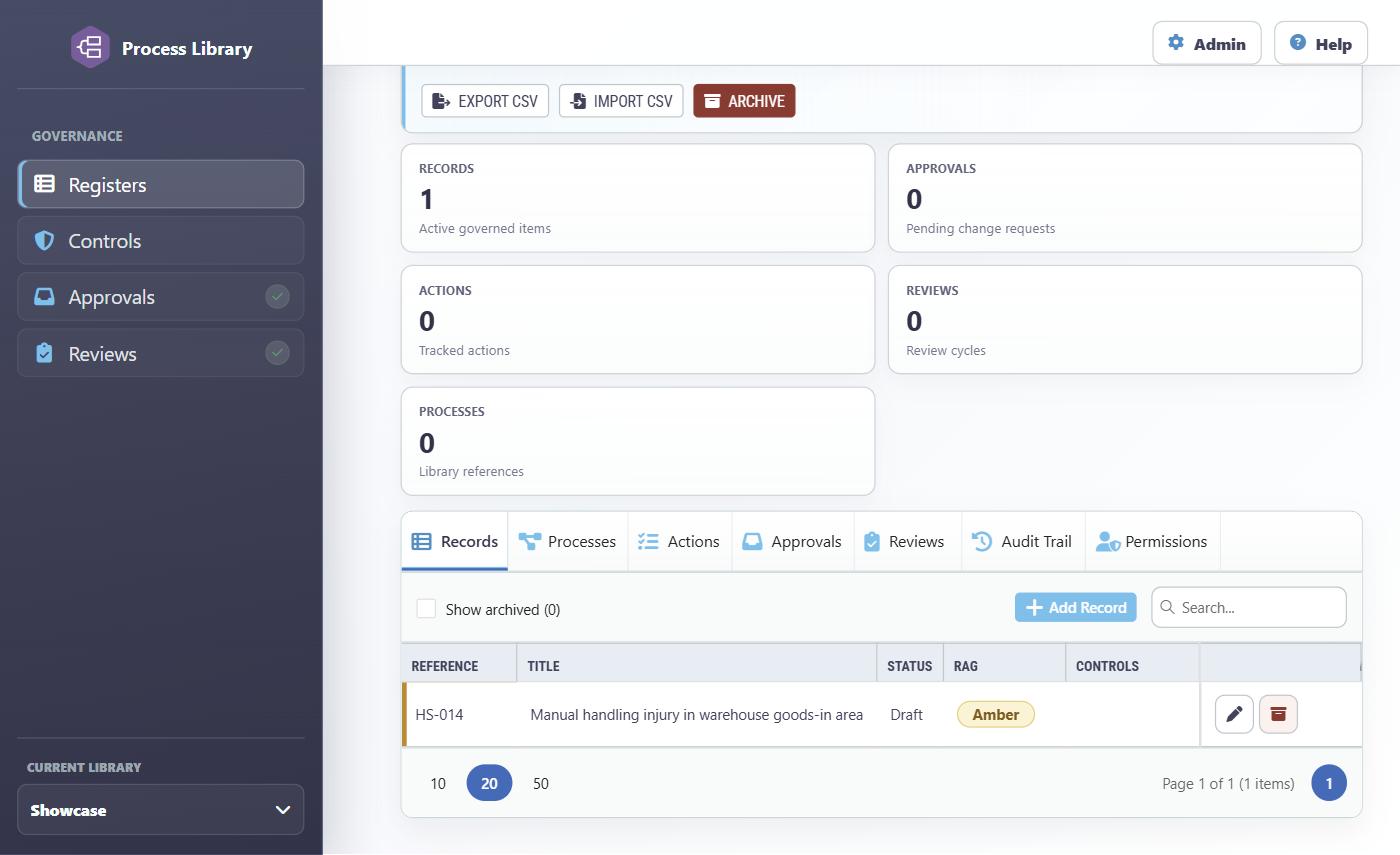
Four real screens, in order: the module before any register exists, the record form's depth, a freshly created register, and the same register once a record has been raised.
Capabilities
Everything a register has to carry.
Manage registers
Authorised users create registers, change their details, assign owners, archive them and recover ownership when needed.
Create and maintain records
A record carries a reference, title, description, status, owner, risk scores and a red, amber or green rating, and can be linked to processes and controls. Records can be created, edited, archived and restored according to access.
Approve record changes
Where approval is required, a proposed new or changed record goes to an approver, who compares the proposal with the current record and approves or rejects it with comments. Some users have separate permission to make quick changes without the full route.
Manage controls
Controls are created, updated, retired and restored, with an owner, evidence requirements, supporting links, management information and testing dates. A version history shows how a control has changed, and records link to the relevant control version.
Assign actions
Actions are given to an owner with a due date and linked to a record or control, then updated, completed or cancelled. Reminders keep owners aware of upcoming and overdue work.
Carry out reviews
Reviews are scheduled for records or controls, assigned to a reviewer, rescheduled, cancelled or completed with an outcome and notes. Reviewers have their own work list.
Decide who has access
Register managers grant access to individual people or to roles. One person may view a register while another authors records or approves changes.
History, import and export
An audit trail records the important changes and decisions. Records export and import as a spreadsheet-style file, and imports are checked before changes are applied, with current limits of 500 records and 2 MB per file.
A governed record
How a change gets made.
- An authorised person creates or changes a record and links the relevant processes and controls.
- If approval is needed, the proposed change goes to an approver.
- The approver accepts it, or sends it back with comments.
- Owners complete the related actions and reviewers carry out the scheduled reviews.
- The register keeps a history of the important changes and decisions.
Registers are an optional module. They are enabled per organisation, and what a person can see or change depends both on their general role and on their access to the particular register. The library these screenshots came from did not have the module switched on by default. Ask us whether Registers are part of your plan, or see the pricing page.
Bring your risk register into the same place as your processes.
A short call with a senior consultant to look at the registers you keep today and what governing them alongside your process model would change.