Getting to Go-Live Checklist
Useful Libraries are accurate and complete; therefore you must ensure that the end-user can't find information that has not been formally signed off and that all supporting information (documents, links etc) is also accurate. In addition, blank reports can make the Library seem incomplete, so ensure that at least the Roles and Process Owner reports are populated.
Checklist to Ensure Your Library is Useful
- Are the latest versions of the processes available from Live with version set to x.0, approval date set and approval status removed?
- The Unapproved Maps report will list all processes that are not approved.
- Are the hyperlinks from process maps going to the correct documents? Are the documents the latest versions?
- Are there links from the Process Library to other resources? Do the links work? Do the reciprocal links work?
- Are the restricted processes locked down? Are the restricted processes accessible by those who require access? Has the Login and Password been provided to them?
- Is the Change History report populated with the change history of the process maps?
- Run Roles report to ensure the dynamic drop-down list is as you expect.
- At least the Responsibility column should be populated for every Activity.
- Run Process Owner report to ensure the dynamic drop-down list is as you expect.
- You can ensure Process Owner fields are populated by running the Map Review report.
- Run Systems report to ensure systems populated on deliverables and drop-down list is as you expect (if used).
- If you are capturing System data on Activities you may need your Systems report updating to show this data. Contact Customer Services to discuss this.
- Run the Map Review report.

Usable Libraries contain content that is accessed easily through search and links to supporting documentation. Make the following checks to ensure that nothing prevents the end-user from finding the information they need. As soon as the end-user cannot find something they want, they will lose confidence in the system and revert back to their old ways of working.
Checklist to Ensure Your Library is Usable
- Check that all of the menu-page links are working.
- Avoid populating placeholders that do not link somewhere as the end user will view this as a broken link.
- Ensure hyperlinks to documents are working.
- Avoid icons that do not link somewhere as the end user will see this as a broken link. Use the List of Hyperlinks Report to test hyperlinks.
- Ensure the document store is accessible from all areas of the business.
- Just because it works for you doesn't mean other areas of the business also have access to the document store.
- Are the drill-downs and back buttons working and linking to the correct process maps?
- Are the User Guide and Symbols Guide available from the Help menu (if used)?
- Is the approvals configuration set to support future approvals and review cycles?
- Ensure the Review Interval is set on the Triaster Server. Have your approvers been trained on how to approve a process map? Is there an Approvers training guide available for them?
- Will all the end-users be using the same browser? Can they all access the Process Library without problem?
- Is the Search yielding results as expected for processes and documents? Are the search results tabs named correctly?
- Is the link to the Process Library from your intranet site working?
- Run a Feedback Email report.
- This report lists all maps which are missing feedback email shapes.
- Run Orphan report.
- This report shows all maps that have deliverables which have no parent and shows where the orphan override function has been used.
- Run Mandatory Properties report.
- This report lists all maps which are missing predefined mandatory properties. If you would like a customised report please contact customer.services@triaster.co.uk.
- Run Map Files with Multiple Pages report.
- This report is designed to identify map files that have multiple pages.
- Our recommended best practice is to have a single map page per file. This is particularly important for the automatic moving of maps between stages in response to changes in approval state.
- Run the Unapproved Maps Report.
- This report shows any process map which has not been completely approved.
- Run the Mismatched Deliverables Report (Priority).
- NOTE: This report shows all deliverables that are either produced but not consumed, or vice versa, within your organisation. If a deliverable has a linked parent or is an external deliverable, it is excluded from this report.
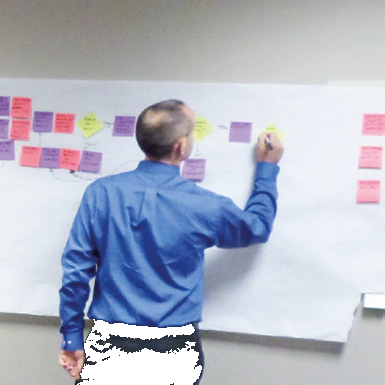
A Process Library will be used if it is Useful and Usable, but you do also need to let the rest of your organisation know where to find it and how it will benefit them. Explain that certain information can only be found via the Library and that new processes/documents and changes to processes/documents will be communicated through the Library. Triaster's communication package really helps with this.
Checklist to Ensure Your Library is Used
- Are the What Changed alerts working and the distribution groups set?
- Are the core business processes readily accessible from the menu page?
- Is the How To report fully populated so that staff can find processes easily?
- Do you have a top ten processes/documents page? Is this populated?
- Have the end-users been educated on how to use the Process Library to find the information they need?
- You could create a system video as a quick reference guide for navigating the Library. You could provide lunch and learn sessions to demonstrate the Library prior to the Launch.
- Is the News Page populated with the purpose of the Process Library and the New/Updated processes and document?
- Write a mock proposal to show end-users how they can also give feedback. In the news section, put in contact details of the Library Administrator or preferred contact person.
- Is your communication collateral lined up to support the launch including the launch date, purpose and correct URL?
- Pre-launch teasers such as e-mail notifications, posters, etc. are a good way to get people curious.
- Do you have an on-going communication plan set to support the next launch or snippets of success in usage?


For more support planning your rollout, see our Ultimate Guide to Business Process Mapping, explore Triaster QMS, or contact our team for help preparing your Library for go-live.
Explore related Triaster QMS pages
Why Triaster
What makes Triaster different.
Explore →Triaster QMS
The process-led Quality Management System.
Explore →QMS Consulting
Consulting services that diagnose why a QMS is not used, and rebuild usage.
Explore →Why QMS Adoption Fails
The five causes of low QMS adoption, and what to do about them.
Explore →